A team you can return to.
Organize agents around responsibilities, with instructions and work history that belong to the project.
 Fuegoby Ailuxis
A workspace for your AI team
Your agents. Your computers. One place to move work forward.
Bring the pieces together, see what’s happening, and stay in control of what happens next.
In active development. Built with intention.
Fuego01 Choice in how you work.
02 Visibility as work happens.
03 Control that stays with you.
Give the work a home
A useful AI team needs context, a place to work, and a clear way back to you. Fuego brings those pieces into one workspace.
Organize agents around responsibilities, with instructions and work history that belong to the project.
Keep the choice of AI account separate from the computer doing the work. Connect the resources that fit your setup.
Follow progress, review results, and return to the work without piecing together scattered conversations.
Inside the app
Real screens from the working development build. A place for your team, your computers, and a voice that feels like yours.
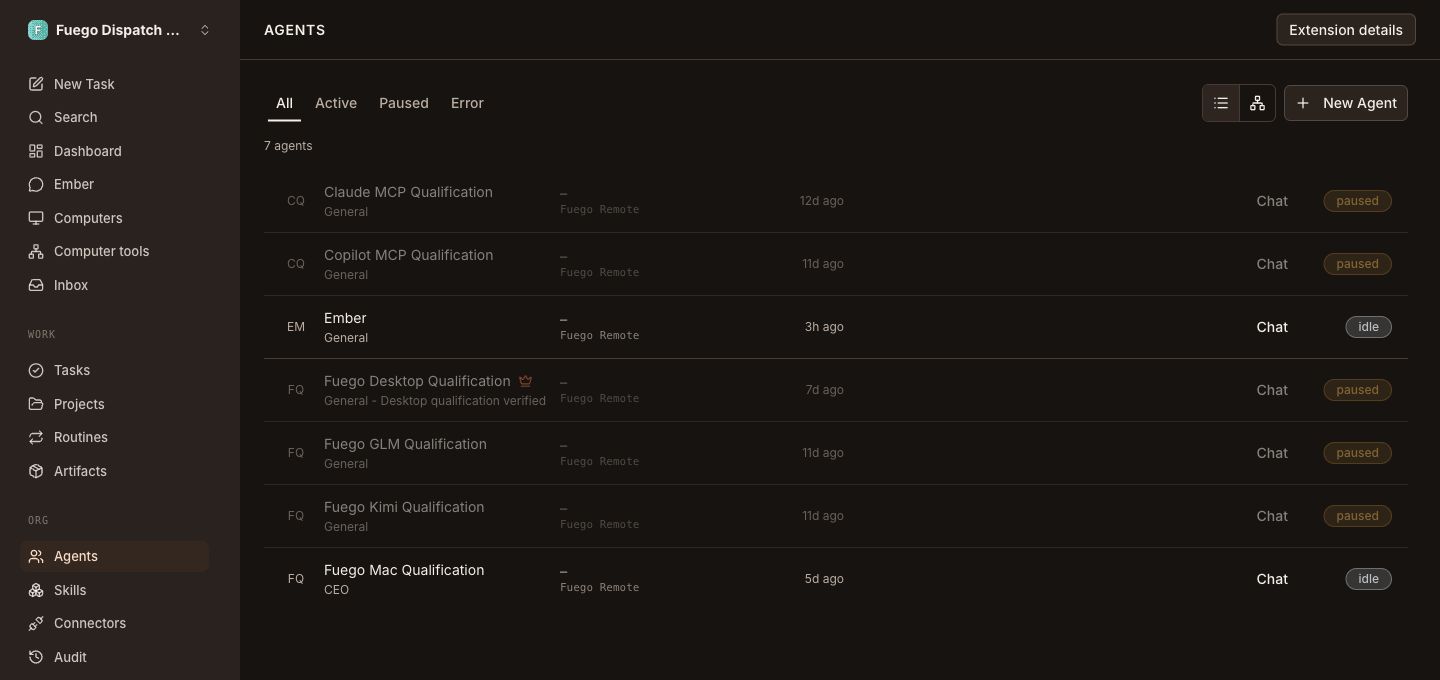
Find your agents, see their status, and return to the work from one workspace.
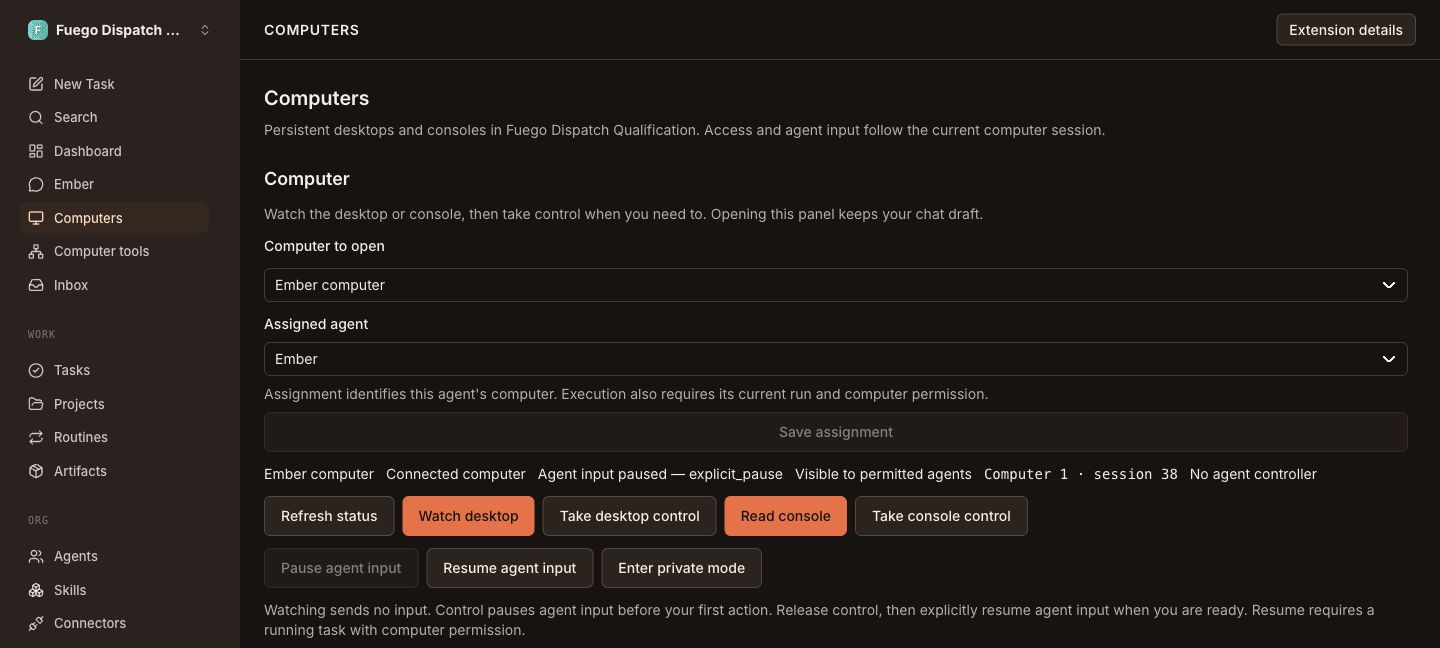
See the assigned agent and current input state, with watching and taking control as separate actions.
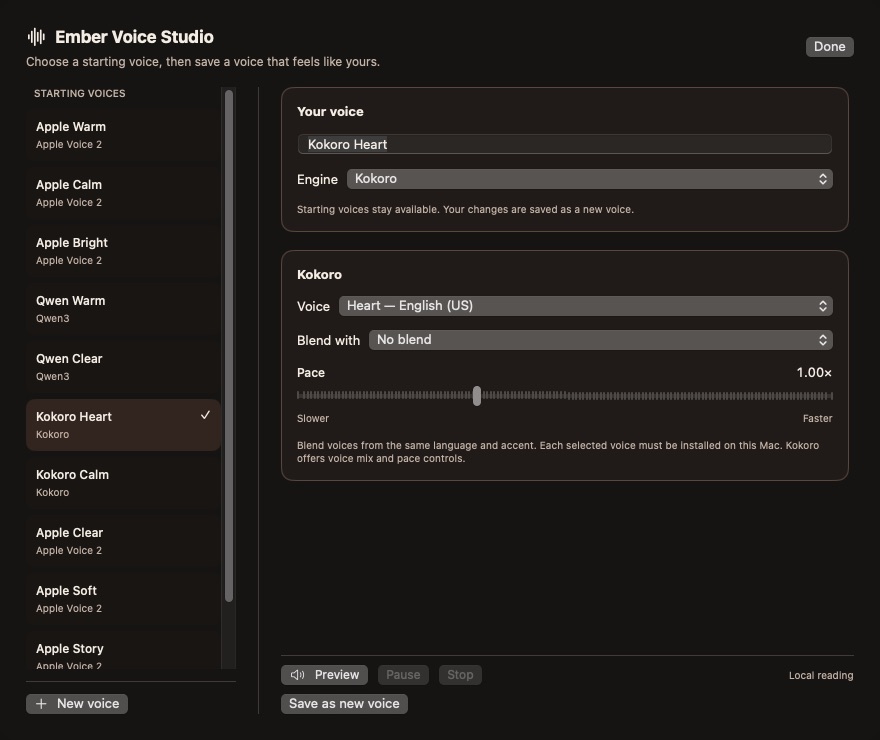
Start with a voice, explore its controls, and save a personal preset in the native Mac app.
Captured from Fuego on October 23, 2026 · Development workspace · Screens cropped for focus and privacy · Interface subject to change
Walk through an exampleA little less juggling
From the first instruction to the result you review, keep the work in view. Step through an example.
Project workspacePull together decisions, open questions, and the next steps. Keep the source notes attached.
“Use the project notes. Make it easy to scan.
Leave the final version for me to review.”
See who owns each part, where the work is happening, and what is ready for attention.
The draft, its context, and the decisions that still need your attention stay together.
Interactive product illustration · Sample content · No accounts connected or tasks executed
Built around your say-so
Agents need room to be useful. You need to understand what they can access and what they are doing.
Fuego’s approach is explicit: scoped access, visible activity, and a way to pause and review. Your workspace should make that control easier to use.
A few things to knowFuego + NeroNook
Fuego organizes the work. NeroNook gives it a small, useful place in your day, right on your Mac.
The Fuego Agent integration brings job handoff, progress, and results into Nook. Ember adds a conversational way to work with Fuego.
Meet NeroNookNeroNook is independent. The Fuego integration is in development.
Fuego AgentBACK TO YOU
Illustrative Nook view · Sample content
A few things to know
Fuego is in active development, with a working internal deployment and focused testing across its Mac and cloud workflows. There is no general public download or self-service signup yet. This site is a look at the product and its direction.
Fuego is a workspace for coordinating AI agents and the resources they use. It is designed to bring your choice of supported AI services, accounts, and connected computers into a shared place for work. Provider support is being qualified individually.
Fuego combines a central workspace with connected execution computers. Where a task runs and which AI service processes it depend on the setup. Connected computers do not imply that every model or every part of the system runs locally.
No. Fuego has its own workspace. NeroNook is an optional Mac companion that can keep Fuego work close alongside your other everyday tools. The two products can be used independently.
The focus is dependable everyday work: smoother setup, clearer account and computer management, and better continuity between Fuego and NeroNook. Broader platform support and a public release remain in development.
The next chapter is taking shape
We’re building Fuego for people and teams who want
AI work to feel more connected, useful, and their own.